Training for Buyers
Buyer Training
Welcome to Live Life All, your holistic marketplace connecting you to vendors and products that enrich your lifestyle — from wellness and parenting to travel, seniors, and beyond.
This guide will help you understand how to:
Register and manage your buyer account
Browse and purchase products or services
Track orders and communicate with vendors
Manage returns and refunds
1. Buyer's Registration
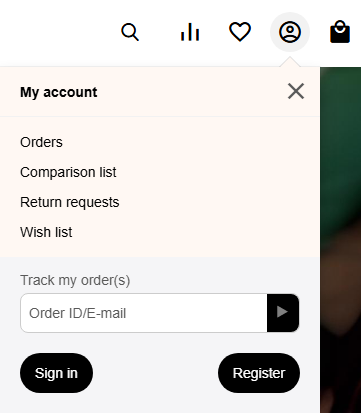
To get into the Registration Form, you need to access by the User Icon. At the lower part you will see 2 options. Go by Registration.
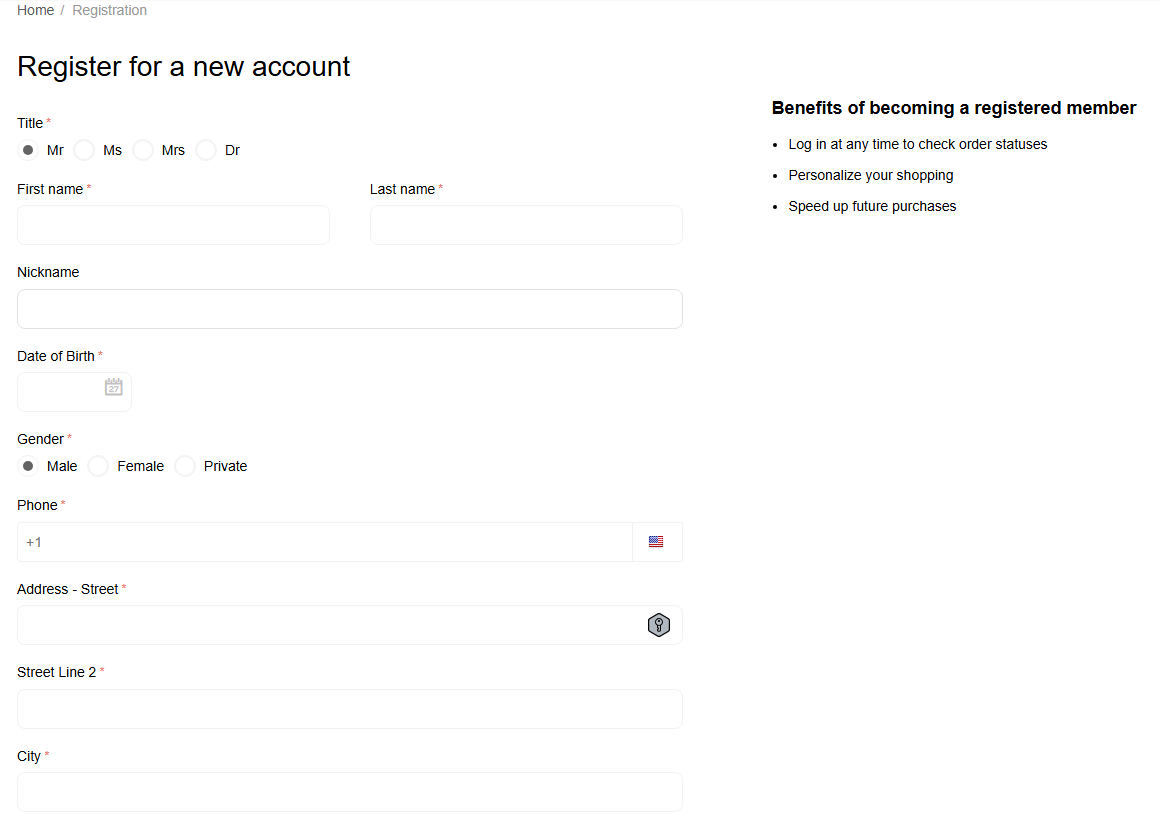
You will be redirected to the registration form, were you will need to imput name, email, and password. As well, we would like to know your areas of interest so we can send you emails related to your interests. As well, for an easier Sign in you can sync your google account to our site.
2. Browsing and Searching Products

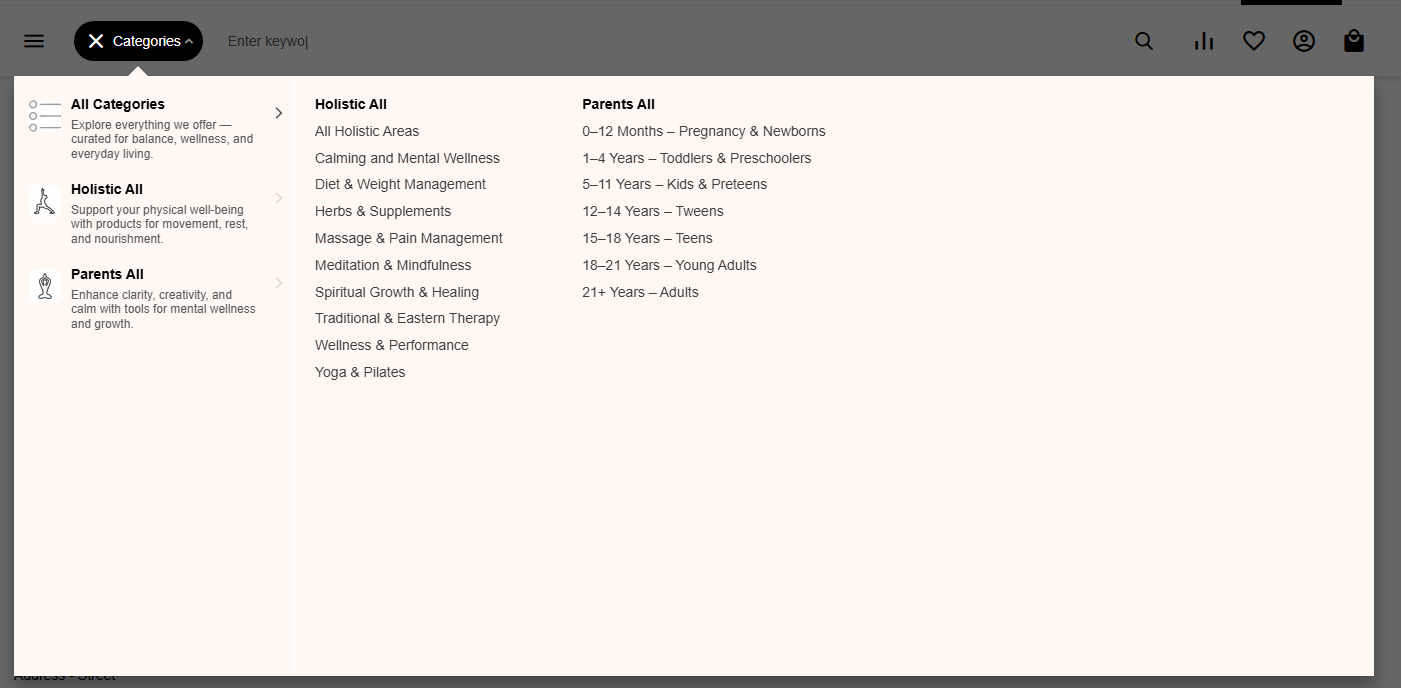
You can explore by:
Categories (e.g. Holistic, Parents, Travel, Seniors)
Search bar (use keywords or vendor names)
Featured vendors/products on the homepage
Use filters such as price range, ratings, or vendor location to narrow your search
3. Viewing Product Details
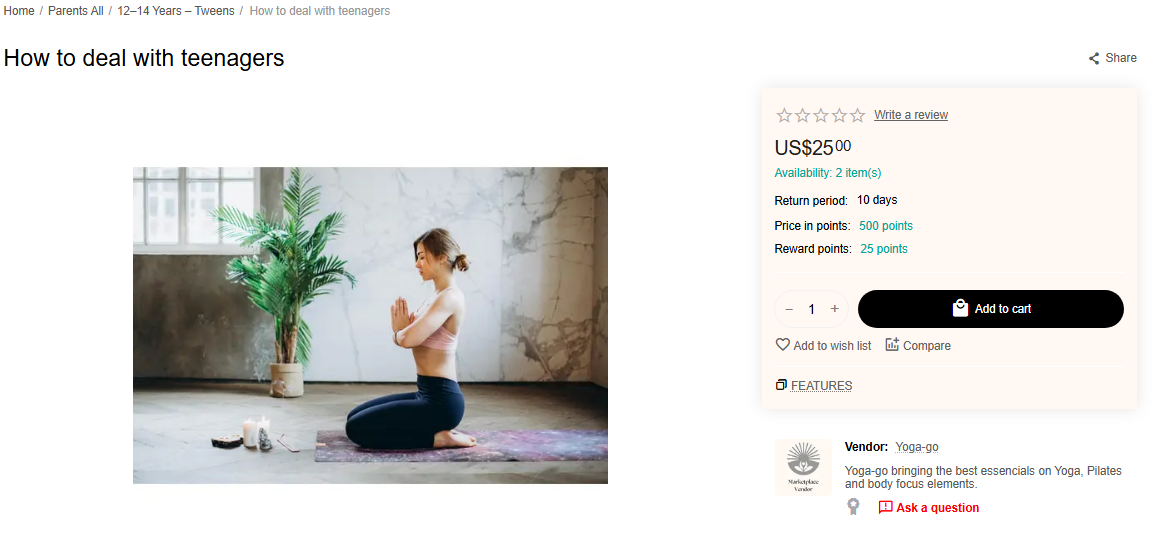
On each product page, you’ll find:
Product images and detailed description
Price and availability
Vendor name and profile (click to visit their store)
Vendor Direct Messaging
Reviews and ratings
4. Making a Purchase
Click “Add to Cart”.
Go to your Cart (top right corner).
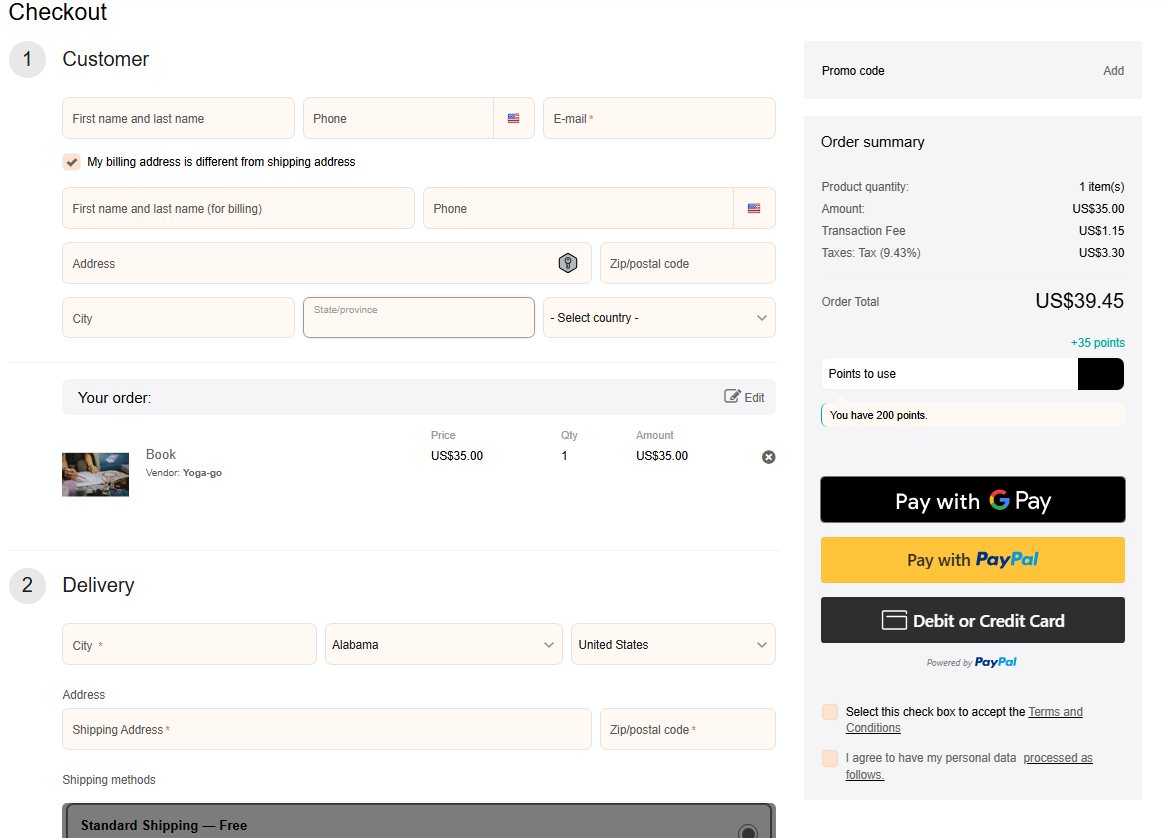
Review your items and click “Proceed to Checkout”.
Complete your shipping and billing details.
Choose your payment method (currently via PayPal).
Confirm your order.
Once confirmed, you’ll receive an order number and email confirmation.
5. Orders
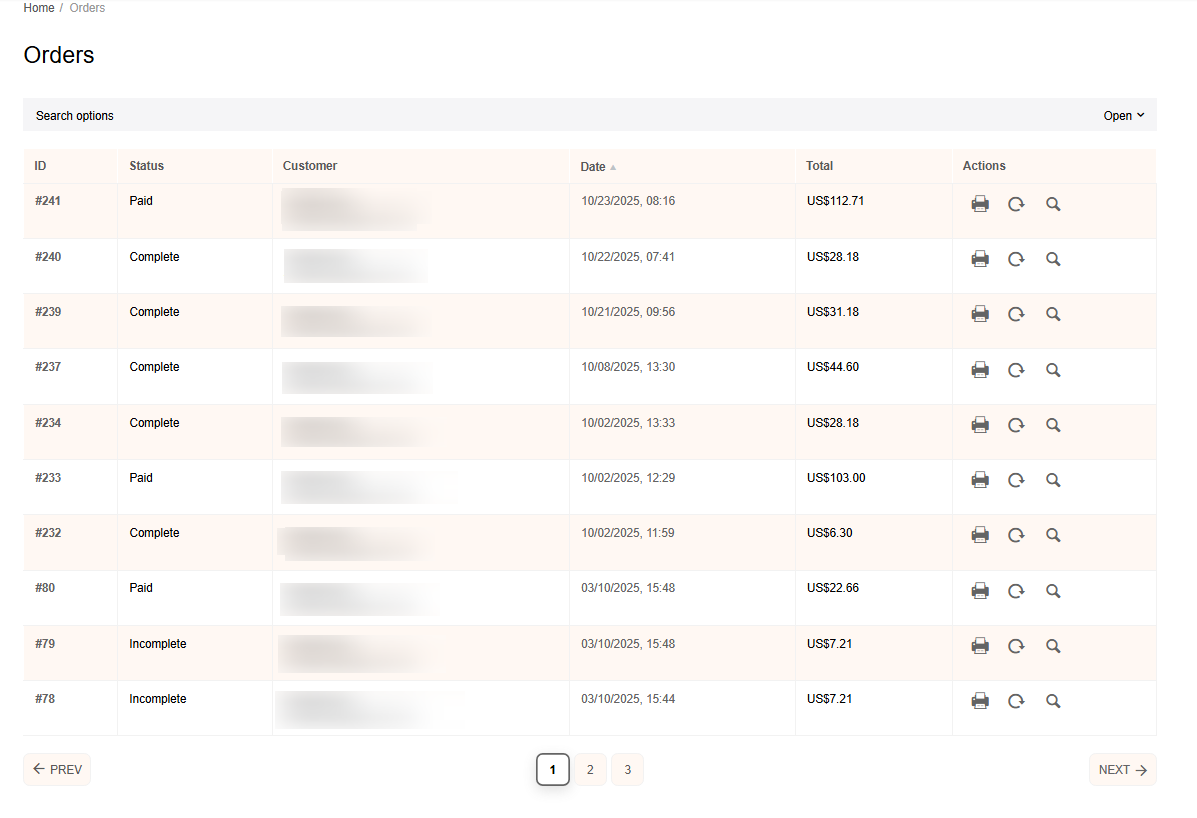
To check on your Orders, you will need to access by the user icon and check on My Orders. You will see the list of your orders. You can access to the information on each of those Orders by clicking on the ID number of the order.
5.1 Returns or Refunds
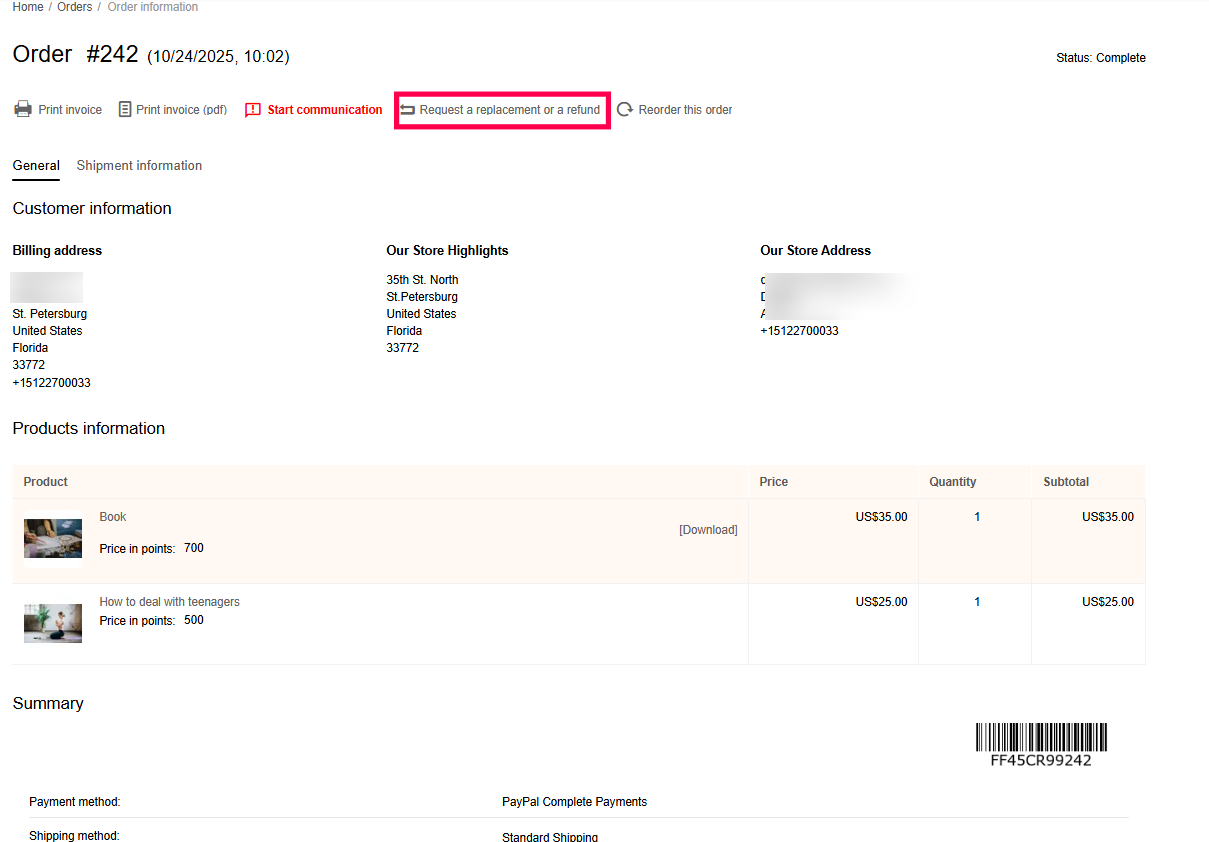
Enter to the order with the issue. Below the order number you will see some options. To request a replace or refund you need to click on the option under "Request a replacement or a refund".
You will see this page. You need to choose the product that is having the issue. And at the top select the option to Refund or Replace item.
Do not forget to select the reason of this request. If possible add comments about what was wrong with this product so the vendor can check.
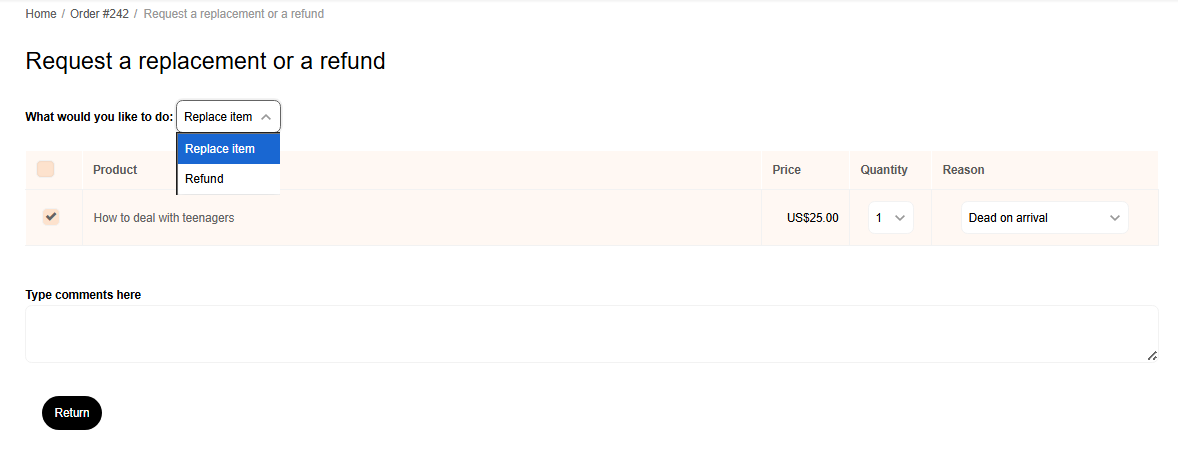
*Remember not all products are refundable or replaceable.
6. Communication with Vendors
If you need more information about a product:
Open the vendor’s store page or the product's page
Use the “Ask a question” button.
Write your inquiry — they’ll reply through your account messages.
7. Support and Help
If you experience issues:
Visit the FAQs
Contact Live Life All Support through the Contact Us page
8. Important Notes
Vendors are responsible for their own shipping times and product details.
All payments are processed securely through PayPal.
Always verify vendor reputation before large purchases.